If you’ve just realized your social media account has been hacked, I know exactly how unsettling it feels. One moment everything is normal, and the next, you can’t log in, or people start messaging you saying, “Hey, did you send me this weird link?”
Your heart sinks. Your mind starts racing.
It’s completely normal to feel that way.
But here’s the thing—you still have control, and what you do in the next few minutes can make all the difference.
As someone who deals with cybercrime cases almost every day, I’ve seen people accidentally make the situation worse simply because they panicked. So think of this blog as a calm voice in your ear telling you: take a breath, you can handle this.
Let’s walk through the steps one by one.
1. First, don’t panic—make sure it’s actually a hack
Not every strange login alert means you’ve been hacked. Sometimes it’s just you logging in from a different device, or a glitch on the platform.
But it is likely a hack if:
You’re suddenly logged out
Posts or messages appear that you never wrote
Friends receive odd DMs “from you”
You get password-change emails that you didn’t request
If any of this sounds familiar, move to the next step.
2. Try recovering your account immediately
Go to the login page and click:
Forgot Password
orTrouble Logging In
Most platforms will email or text you a recovery link. If you’re lucky, you’ll get control back quickly.
But here’s something important:
If you notice the hacker has changed your email or phone number connected to the account, stop trying repeatedly. Too many attempts can lock the account temporarily. Instead, use the platform’s dedicated “My account was hacked” form.
This route usually gets better support from the platform.
3. Before touching anything else… secure your email
People often forget this, but your email is the master key to every social media account.
So immediately:
Change your email password
Turn on 2FA (two-factor authentication)
Log out suspicious devices
If your email is safe, you’re in a much better position to restore everything else.
4. Now pause—don’t clean up anything yet. Save your evidence.
This part feels annoying when you’re stressed, but trust me, it’s one of the smartest things you can do.
Once you start deleting posts or messages made by the hacker, you might lose information that could help you later—especially if you need to file a cybercrime complaint.
What evidence should you preserve?
Screenshots of the posts/messages you didn’t make
Login alerts, emails, notifications
Any suspicious links you received
Screen recordings of unusual activity
Store all of this in a safe folder.
Think of it like collecting clues—you never know which one might help.
5. Report the hacked account to the platform
Each platform has a special page for this:
Instagram → “Report a hacked account”
Facebook → “Compromised account”
Twitter/X → “Hacked account help”
Snapchat, LinkedIn → Similar pages
They might ask for:
A copy of your ID
Proof that the account belonged to you
Screenshots of the hack
This is standard, so don’t worry.
6. Let your friends or followers know
This part is a little embarrassing for most people, but it’s necessary.
Just send a quick message from another account or WhatsApp:
“My social media account is hacked. Please don’t click anything that comes from it.”
This stops the hacker from tricking people in your name, and it protects you from unnecessary misunderstandings.
7. Check if anything important was changed
If your account is connected to:
A business page
Instagram/Facebook ads
Login-with-Facebook apps
Payment methods
Check everything once you get in.
Hackers sometimes add their own links, run ads using your money, or redirect your business traffic somewhere else. Make sure nothing new or suspicious has been added.
8. Legal steps you can take in India (very important)
If the hacker misused your identity, leaked content, harassed you, or caused financial loss, you should take formal action.
Step 1: File a complaint online
Go to: www.cybercrime.gov.in
Choose:
“Report Other Cybercrimes”
OR“Report Women/Child Related Crime” (if your images were misused)
Attach the evidence you saved.
Step 2: Visit your nearest Cyber Police Station
Bring everything:
Screenshots
URLs
Emails
A short summary of the incident
Depending on the case, they may register offences under:
IT Act – unlawful access, data theft
IPC – identity theft, impersonation, cheating
Step 3: Keep all complaint numbers and documents safe
It helps if the case needs follow-up.
9. Strengthen your security after recovering the account
Once you finally get your account back (and you will), take 5–10 minutes to secure it properly:
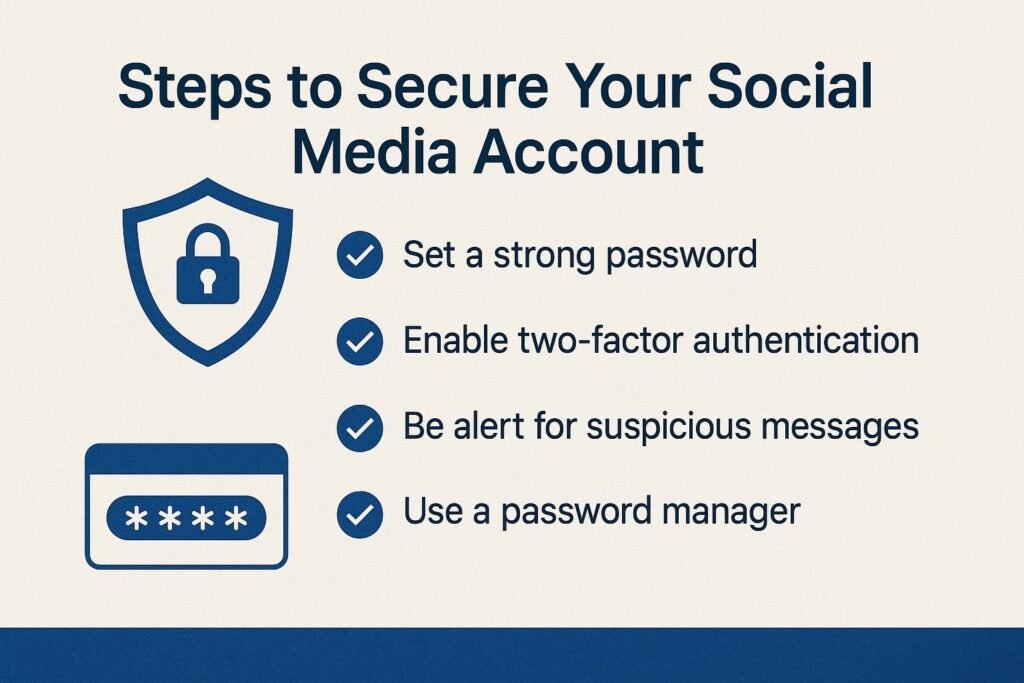
Turn on two-factor authentication
Use a stronger, unique password
Remove third-party apps you don’t recognize
Review privacy settings
These small habits genuinely reduce the risk of getting hacked again.
10. When should you speak to a cybercrime lawyer?
You should consider legal help if:
Your pictures or videos were misused
You are being blackmailed or threatened
Someone is impersonating you online
Your reputation has been damaged
You faced monetary loss
You need help drafting a complaint
Sometimes cases are simple, but sometimes they spiral into something emotionally and legally exhausting. That’s where professional help makes the journey lighter.
Final Thoughts
Getting hacked feels violating. It’s confusing, it’s stressful, and it can shake your sense of security. But it’s also something you can recover from—thousands of people do every single day.
Just remember:
Secure your email
Save evidence
Report the hack
Take legal action if needed
And most importantly, don’t blame yourself. Cybercriminals are getting smarter, and anyone can fall victim.
If you ever need help filing a complaint, understanding your legal options, or dealing with an unresponsive platform, I’m always here to help. You don’t have to handle it alone.